Digital Sign Examples
 

Digital Sign Zone Breakdown


Vertical Displays
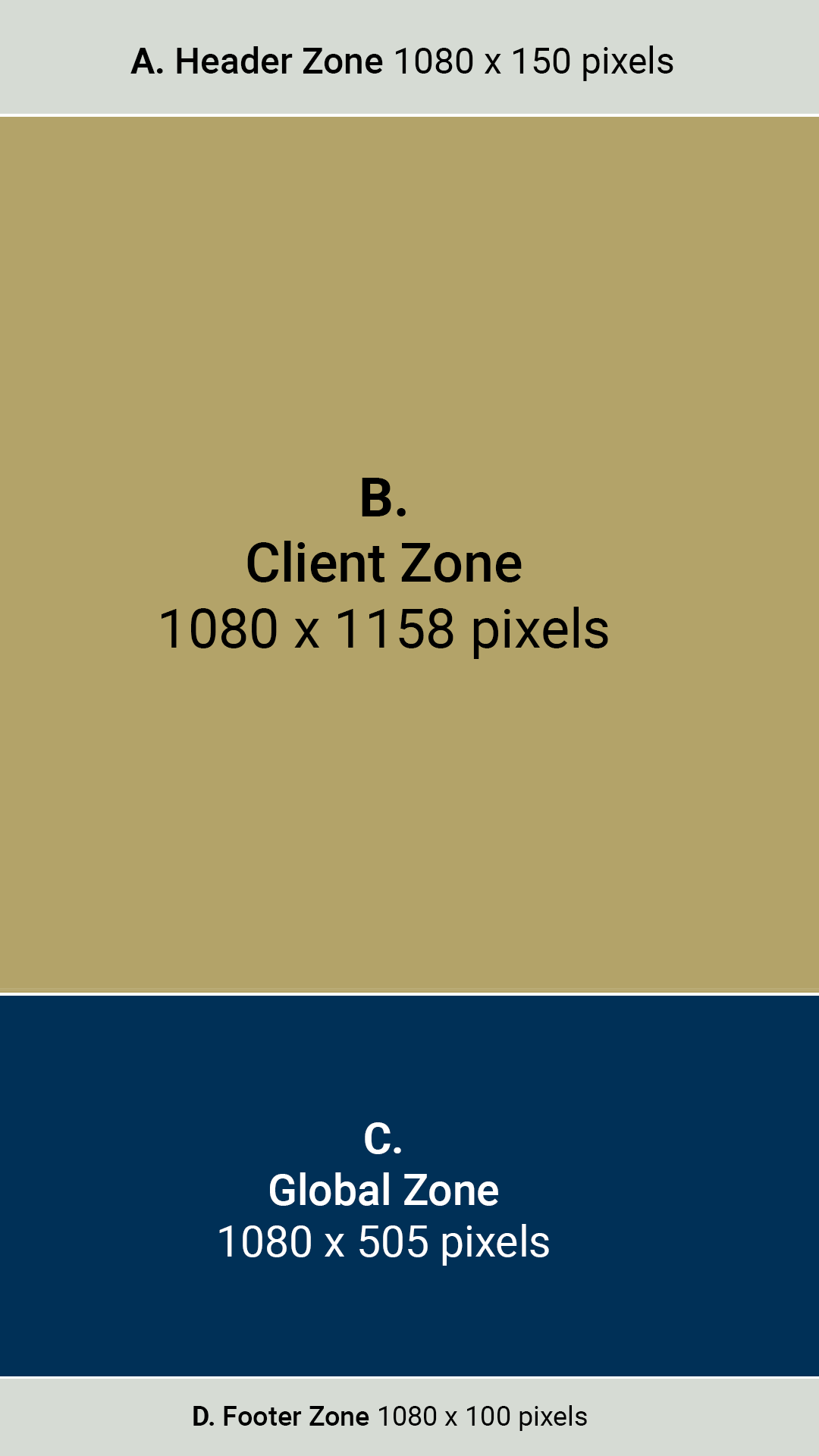
Diagram breakdown of the vertical digital screen's content zones. Described in detail under the heading, "Vertical Display Breakdown."


Vertical Display Breakdown

The chart below lists the four content zones in top-to-bottom order as they appear in the image, along with their specifications.

LabelZoneSizeDescription
A.Header1080 x 150 pixels
  • Top of display screen — gray in image.
  • The header contains the client’s banner/title and is constant. Information here doesn’t need to be regulated.
  • Managed by Institute Communications' Digital Signage team.
  • Not for content upload.
B.Client1080 x 1158 pixels
  • Second row from top — gold in image.
  • Clients are the content managers who own the screens.
  • This zone is reserved for client content and is managed by the client or any communicators given permission to access this zone by the client.
  • Institute Communications' Digital Signage team does not manage or regulate this content.
C.Global1080 x 505 pixels
  • Third row from top — navy blue in image.
  • Managed by Institute Communications' Digital Signage team.
  • Content can be uploaded to this section on special request and is usually only for campuswide content.
  • Used to communicate events or important info to campuswide viewers.
D.Footer1080 x 100 pixels
  • Bottom of display screen — gray in image.
  • The footer contains an rss feed from news.gatech.edu.
  • Not for content upload.


Horizontal Displays

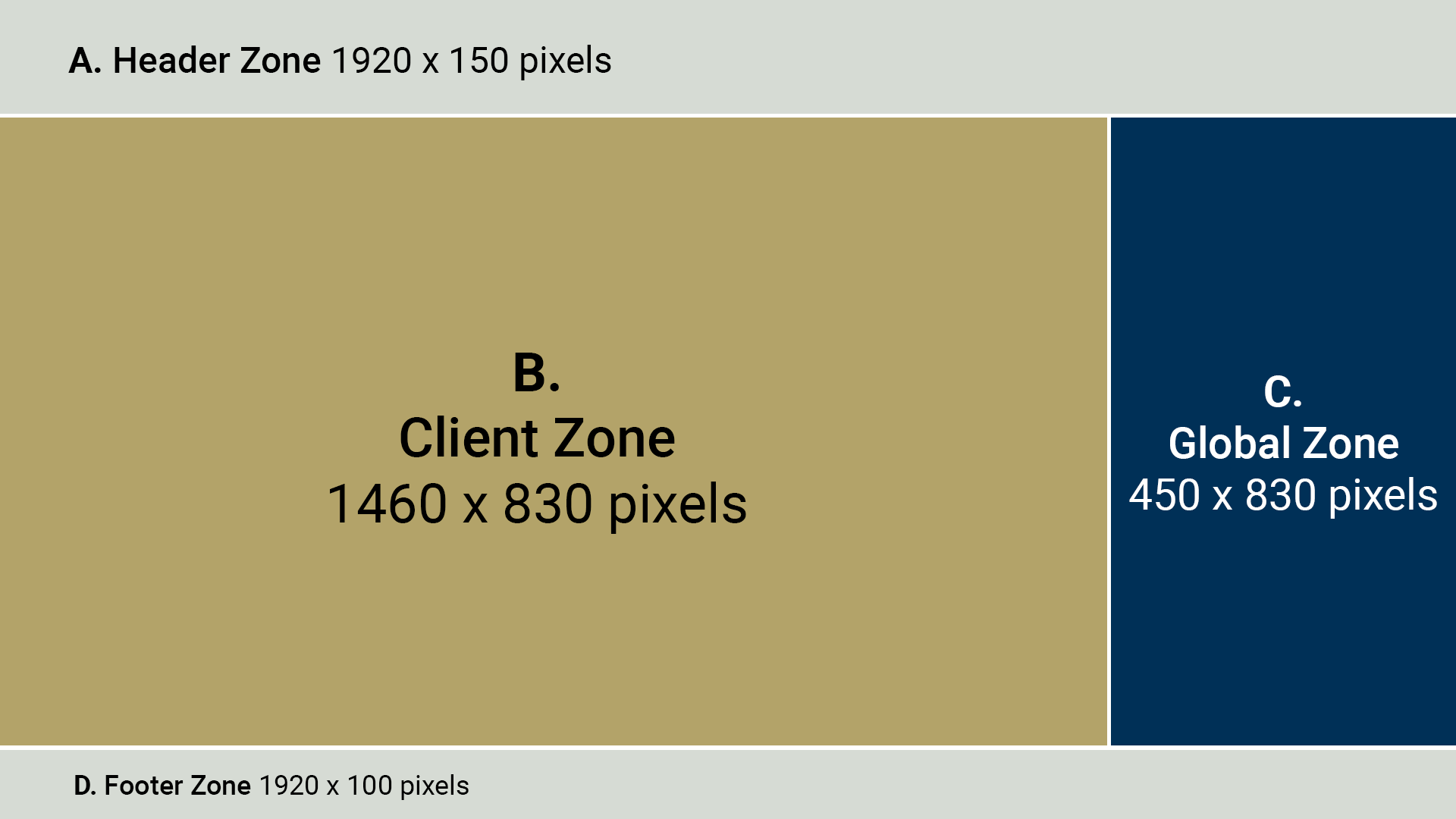
Diagram breakdown of the horizontal digital screen's content zones. Described in detail under the heading, "Horizontal Display Breakdown."


Horizontal Display Breakdown

The chart below lists the four content zones in top-to-bottom order as they appear in the image, along with their specifications.

LabelZoneSizeDescription
A.Header1920 x 150 pixels
  • Top of display screen — gray in image.
  • The header contains the client’s banner/title and is constant. Information here doesn’t need to be regulated.
  • Not for content upload.
  • Managed by Institute Communications' Digital Signage team.
B.Client1460 x 830 pixels
  • Second row left side — gold in image.
  • Clients are the content managers who own the screens.
  • This zone is reserved for client content and is managed by the client or any communicators given permission to access this zone by the client.
  • Institute Communications' Digital Signage team does not manage or regulate this content.
C.Global450 x 830 pixels
  • Second row right side — navy blue in image.
  • Managed by Institute Communications' Digital Signage team.
  • Content can be uploaded to this section on special request and is usually only for campuswide content.
  • Used to communicate events or important info to campuswide viewers.
D.Footer1920 x 100 pixels
  • Bottom of display screen — gray in image.
  • The footer contains an rss feed from news.gatech.edu.
  • Not for content upload.